How to Register as a Private Person and Create a Transport Order on ExusTrans
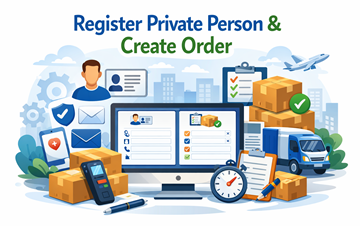
In this guide, you will learn step by step how to register as a private person and create your first transport order on ExusTrans.
Step 1: Register as a Private Person on ExusTrans
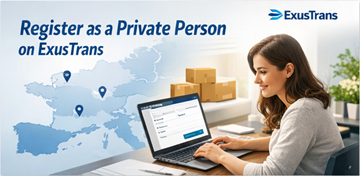
To start using ExusTrans as a private person, you must first create an account. Private accounts are designed for individuals who need transport services for personal goods.
How to register:
- Open the ExusTrans website or mobile app
- Click Sign Up / Register
- On the registration page, select your account type:
- ✅ Customer
- ✅ Carrier
- ✅ Private Person
- Choose Private Person, then enter the following information:
Personal Information
- First Name
- Last Name
- Email Address
- Phone Number
- Password
Location / Address
- Street Name & Number
- ZIP / Postal Code
- City
- Country
- Longitude
- Latitude
- Accept the Terms & Conditions
- Submit the registration form
- Receive numeric code by email
- Open activation page & enter code
- Log in to your account
After completing these steps, your private account is created and ready for use.
Why This Information Is Required
ExusTrans collects personal details to ensure:
- ✔ Secure communication with carriers
- ✔ Accurate pickup and delivery locations
- ✔ Correct billing and invoice generation
- ✔ Fraud prevention
- ✔ Reliable transport services
Step 2: Create Your First Transport Order
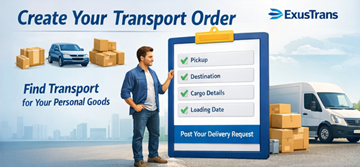
After logging in, you can create your first transport order. This allows carriers to see your request and send offers.
How to create an order
- Open Add Order
- Select cargo category
- Enter pickup location
- Enter destination location
- Choose loading date
- Enter cargo details
- Publish the transport order
Once published, your transport request becomes visible to available carriers.
What Information Should You Provide?
- Type of goods
- Number of items
- Weight (if known)
- Dimensions (if available)
- Special handling requirements
- Photos of goods (recommended)
Providing detailed information helps carriers prepare accurate offers and reduces delays.
Step 3: Receive Offers from Carriers

After creating your order, professional carriers can send offers. You may receive multiple offers depending on the route, cargo type, and availability.
- Open your transport order
- Review received offers
- Compare prices and details
- Check carrier information
- Choose the best offer
You can communicate directly with carriers through the offer chat to clarify details.
Step 4: Confirm the Transport Agreement
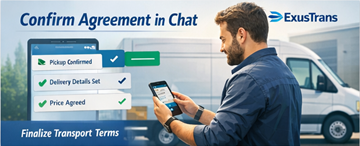
Once you select an offer, communication continues through the offer chat. You can confirm timing, payment terms, and any additional costs.
- Confirm pickup date and time
- Confirm delivery location
- Agree on final price
- Discuss extra costs if needed
- Confirm agreement in chat
After confirmation, the transport agreement becomes binding.
Step 5: Complete Delivery and Close the Order

After the goods are delivered and all agreed conditions are fulfilled, the order can be marked as completed.
- Confirm delivery completion
- Review final order details
- Mark order as completed
- Store completed order in history
Completed orders remain available in your account history for future reference.
What Goods Private Persons Can Transport
Private persons can use ExusTrans for personal goods only. Business or commercial shipments require a company account.
- Furniture and household items
- Personal vehicles
- Motorcycles
- Personal belongings
- Moving boxes
- Non-commercial packages
Important Rules for Private Persons
- Only personal goods are allowed
- Commercial goods require a company account
- Hazardous materials require licensed carriers
- Accurate information must always be provided
Tips for Faster and Better Offers
- Provide clear cargo descriptions
- Add exact pickup and delivery addresses
- Upload photos when possible
- Select realistic loading dates
- Respond quickly to carrier messages
Frequently Asked Questions (FAQ)
Is registration free for private persons?
Yes. Creating a private account and posting transport orders on ExusTrans is free.
Can I edit my transport order?
Yes. Orders can be edited until an agreement has been confirmed in the offer chat.
Can I receive multiple offers?
Yes. Multiple carriers can send offers, allowing you to choose the best option.
Do I need transport experience?
No. The platform is designed to be simple and user-friendly for all private users.
What happens after delivery?
After successful delivery, the order can be marked as completed and stored in your account history.
Conclusion
Registering as a private person and creating transport orders on ExusTrans is fast and simple. By following these steps, you can safely request transport services, receive offers from professional carriers, and complete deliveries across Europe with confidence.
eXus Dev