How to Register as a Customer on ExusTrans
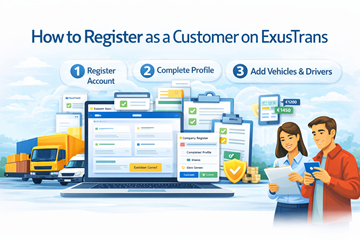
In this guide, you’ll learn only how to register and prepare your customer account on ExusTrans.
✅ Step 1: Open the Registration Page
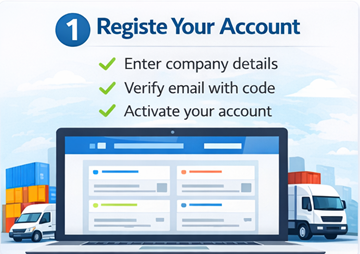
To begin, access the official registration page.
How to Start
- Open the ExusTrans website or mobile app.
- Click Register.
- Select category Customer.
- Continue to the registration form.
Important
- ✔ Choose Customer (not Carrier)
- ✔ Use a valid email and phone number
- ✔ Register with your real identity for verification
📝 Step 2: Fill in All Required Registration Fields
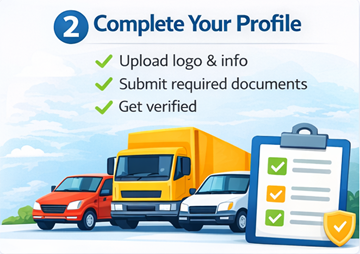
After opening the registration form, you must complete all required fields to successfully create your customer account.
📋 Required Registration Fields
When registering, you will normally need to provide the following information:
👤 Personal Information
- First Name
- Last Name
- Email Address (e.g. info@company.be)
- Password
🏢 Company Information (For Business Customers)
- Company Name (e.g. ExusTrans BV)
- Company VAT Number (e.g. BE0123456789)
- Account Type: Company → Customers (Orders)
📞 Contact Details
- Phone Number (with country code)
- Contact Email Address
📍 Address Information
- Street and Number
- ZIP / Postal Code
- City
- Country
🌍 Location Coordinates
- Longitude
- Latitude
These coordinates help carriers calculate routes and distances accurately.
🔐 Security & Compliance
- Captcha Verification
- Agreement to Terms and Conditions
📩 Step 3: Verify Your Email Address
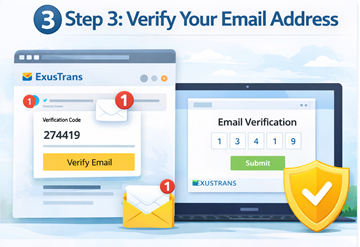
After completing the registration form, you must verify your email address using a numeric verification code sent to your inbox.
How Email Verification Works
- Submit your registration form.
- Check your email inbox.
- Open the message from ExusTrans.
- Copy the numeric verification code.
- Return to the verification page.
- Enter the code and confirm.
Important Notes
- ✔ Verification is required before using your account
- ✔ Check spam/junk folder if no email arrives
- ✔ Codes are time-limited for security
- ✔ Use the same browser/app during verification
Why Email Verification Is Required
- Prevents fake and duplicate accounts
- Protects platform security
- Ensures reliable communication
- Enables invoice and order notifications
Accounts that are not verified by email remain inactive and cannot access full platform features.
📄 Step 4: Upload Company Documents and Complete Your Profile
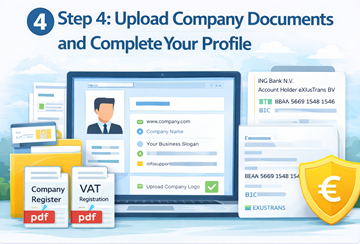
After verifying your email, you must upload required company documents and complete your profile in the My Profile section before using all platform features.
Required Company Documents (PDF Format)
- Company Register Extract (PDF)
- VAT Registration Certificate (PDF)
These documents are used to verify your legal business status and enable professional cooperation with carriers.
Optional Company Branding
- Upload Company Logo
- Add Brand Colors (if available)
- Set Company Display Name
Complete Your Profile in My Profile
You can provide additional company and business information to improve your professional presentation.
- Company Website
- Business Slogan
- Company Description
- Support Email
- Contact Person
Bank and Payment Information
- Bank Name (e.g. ING Bank NV)
- Account Holder Name
- IBAN
- BIC / SWIFT Code
Correct bank information is required for invoicing, refunds, and secure financial transactions.
Important Guidelines
- ✔ Upload clear and valid PDF documents only
- ✔ Ensure company name matches official records
- ✔ Do not upload expired certificates
- ✔ Keep banking data accurate and up to date
- ✔ Logo must be professional and readable
Incomplete profiles or missing documents may result in limited access until verification is completed.
📦 Step 5: Create Orders, Receive Offers, and Negotiate with Carriers
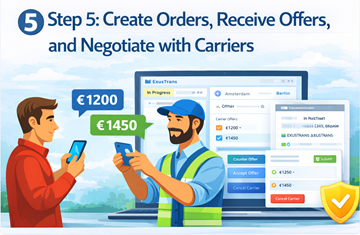
After completing registration and profile verification, you can start creating transport orders, receiving offers from carriers and drivers, and managing all negotiations through the built-in chat system.
Create Transport Orders
- Create new transport orders from your dashboard
- Enter pickup and delivery locations
- Add cargo details, weight, and dimensions
- Select preferred vehicle type
- Set loading and delivery dates
- Publish orders to the carrier network
Published orders become visible to verified carriers and drivers across Europe.
Offer Your Orders to Carriers
- Send your order directly to selected carriers
- Invite trusted transport companies
- Share order details with preferred partners
- Increase response speed and reliability
Receive and Create Offers
- Receive price offers from carriers
- Receive offers from assigned drivers
- Create counter-offers for your orders
- Compare multiple proposals
- Review delivery conditions and timelines
You remain in full control when selecting the best transport offer.
Negotiate in Real-Time Chat
All communication and negotiations are handled through the integrated order chat.
- Negotiate transport price
- Discuss toll and extra costs
- Agree on loading and unloading times
- Request route or schedule changes
- Exchange documents and photos
Use Action Buttons in Chat
- Approve toll and extra charges
- Confirm loading
- Confirm unloading
- Accept final price
- Approve payment conditions
These buttons ensure that all changes are recorded and legally confirmed.
Payment and Status Management
- Track order status in real time
- Confirm delivery completion
- Approve final invoices
- Manage payments securely
- Access transaction history
Important Notes
- ✔ All negotiations are stored in offer history
- ✔ Price changes require confirmation
- ✔ Extra costs must be approved by the customer
- ✔ Only confirmed offers become active contracts
- ✔ Chat records are used for dispute resolution
Using the order system and chat negotiation tools ensures transparent, secure, and efficient transport management.
❓ Frequently Asked Questions (FAQ)
Is customer registration free on ExusTrans?
Yes. Creating and maintaining a customer account on ExusTrans is completely free.
Who can register as a customer on ExusTrans?
Currently, only registered companies with an active and valid VAT number are allowed to create customer accounts on ExusTrans.
Can private individuals register without a VAT number?
No. At the moment, private individuals without a registered company and active VAT number cannot register as customers.
Which documents are required after registration?
All business customers must upload a Company Register Extract and a VAT Registration Certificate in PDF format for verification.
What happens if I do not verify my email?
Accounts that are not verified remain inactive and cannot access order creation, chat, or payment features.
Can I edit my registration data later?
Yes. You can update your company, address, contact, and banking information at any time in the My Profile section.
How do I receive offers from carriers?
After publishing an order, verified carriers and drivers can submit price offers directly through your dashboard and chat system.
Can I negotiate prices and extra costs?
Yes. You can negotiate transport prices, toll fees, loading and unloading times, and additional costs using the integrated chat and action buttons.
Are payments handled securely?
Yes. All payments and invoices are processed through secure systems with full transaction history and legal documentation.
What should I do if a carrier cancels?
If a carrier cancels, you can immediately accept another available offer or invite new carriers to your order.
Can I manage multiple orders at the same time?
Yes. There is no limit to the number of active transport orders you can manage from your dashboard.
How is my data protected?
ExusTrans uses modern security systems, encrypted connections, and verification procedures to protect user data and transactions.
🚀 Conclusion
Registering as a customer on ExusTrans allows verified companies with an active VAT number to access a secure and professional transport network across Europe. By completing registration, verifying your email, uploading company documents, and managing orders through the integrated system, you gain full control over your logistics operations, pricing negotiations, and payments. ExusTrans provides a reliable digital platform designed to simplify transport management, improve efficiency, and support long-term business growth.
eXus Dev