How to Create a Carrier Account on ExusTrans
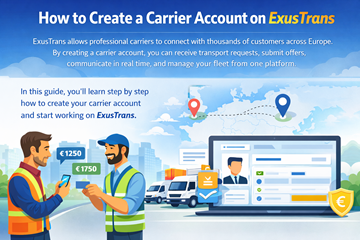
In this guide, you’ll learn step by step how to create your carrier account and start working on ExusTrans.
Step 1: Register as a Carrier on ExusTrans
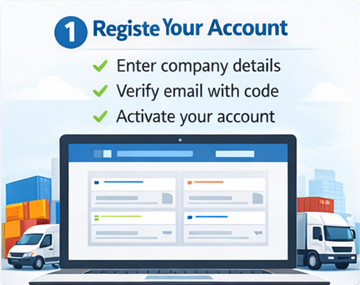
When creating your account, you must choose your user type and enter full business details. During registration, carriers must provide personal, company, and address information to ensure secure payments, legal compliance, and reliable transport services.
How to register:
- Open the ExusTrans website or mobile app
- Click Sign Up / Register
- On the registration page, select your account type:
- ✅ Customer
- ✅ Carrier
- Choose Carrier, then enter the following information:
Personal Information
- First Name
- Last Name
- Email Address
- Phone Number
- Password
Company Information
- Company Name
- VAT Number
Location / Address
- Street Name & Number
- ZIP / Postal Code
- City
- Country
- Longitude
- Latitude
- Accept the Terms & Conditions
- Submit the registration form
- Receive numeric code by email
- Open activation page & enter code
- Log in to your account
After completing these steps, your carrier account is created and ready for activation.
Why This Information Is Required
ExusTrans collects full carrier details to ensure:
- ✔ Legal compliance
- ✔ Trusted marketplace environment
- ✔ Correct invoicing and VAT handling
- ✔ Accurate pickup and delivery locations
- ✔ Fraud prevention
After completing these steps and activating your account by email, your carrier profile becomes accessible. You can then upload your company logo, update your business data, and submit required documents for verification.
Step 2: Complete Your Profile & Upload Required Documents
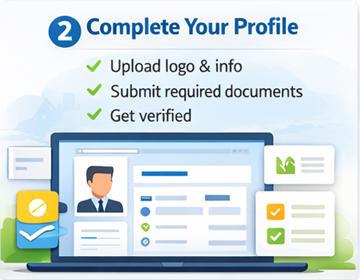
After activating your account, you must complete your carrier profile and upload verification documents.
- Upload your company logo
- Edit personal and company information
- Update address and contact details
- Manage fleet and drivers
Required documents:
To ensure safety and legal compliance, carriers must upload:
- 📄 Company Registration Certificate
- 📄 VAT Registration Certificate
- 📄 Transportation License (if required for your vehicles or routes)
These documents are reviewed by the ExusTrans team before full platform access is granted.
Why Document Verification Is Important
Uploading valid documents allows ExusTrans to:
- ✔ Verify legal business status
- ✔ Enable invoicing and VAT handling
- ✔ Prevent fraud
- ✔ Protect customers
- ✔ Improve marketplace trust
Verified carriers receive higher visibility and more booking opportunities.
Step 3: Add Your Vehicles and Transport Capacity
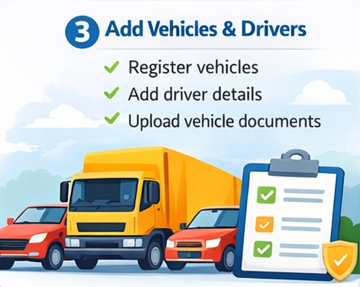
To receive relevant transport orders, you must register your vehicles, drivers, and transport capacity in your carrier profile.
Supported Vehicle Types
- Car
- Van
- Truck
- Truck tractor
- Trailer
- Semi-trailer
- Bike
- Motorcycle
How to add a vehicle
- Open My Vehicles / Fleet
- Click Add Vehicle
- Select vehicle category
- Enter vehicle and driver information
- Add transport capacity details
- Upload vehicle photos (optional)
- Save your vehicle
Driver Information
- Driver Name
- Login Email
- Password
- Category
- Status (Ready / Active / Inactive)
Vehicle Information
- Make (Mercedes, MAN, Volvo, etc.)
- Model (Sprinter, Actros, etc.)
- Year
- Emission Class
- License Plate
- Dangerous Goods (ADR: Yes / No)
Transport Capacity
- Euro Pallets Capacity
- Load Capacity (kg)
- Cargo Space (Length / Width / Height)
All registered vehicles and drivers can be managed, edited, and updated at any time in your carrier dashboard.
Accurate vehicle and capacity data helps ExusTrans match you with the most suitable transport orders.
Upload Vehicle Photos and Documents
After adding a vehicle, carriers can upload photos, edit vehicle data, and submit required documents for verification.
- Upload vehicle photos
- Edit vehicle and driver details
- Update transport capacity
- Manage compliance documents
Required Vehicle Documents
Depending on the vehicle type and transport category, the following documents may be required:
- 📄 Vehicle Registration Certificate (PDF)
- 📄 Transportation License – Vehicle (PDF)
- 📄 Vehicle Insurance Certificate (PDF)
- 📄 CMR Insurance Certificate (PDF)
- 📄 Load Capacity Report (PDF)
Required Driver Documents
To ensure legal compliance and safety, drivers must upload:
- 📄 Driving License – Driver (PDF)
All uploaded documents are securely stored and reviewed by the ExusTrans verification team.
Step 4: Find Orders and Send Offers
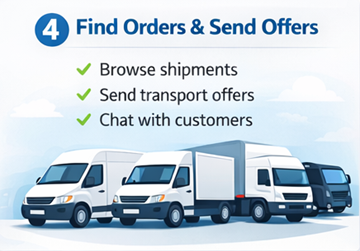
After setting up your profile and fleet, you can start browsing available transport orders and sending offers.
- Open Available Orders
- Select a transport request
- Review route, cargo, and timing
- Click Send Offer
- Submit your offer
Customers can accept, reject, or negotiate offers through the integrated chat system.
Step 5: Manage Deliveries and Payments
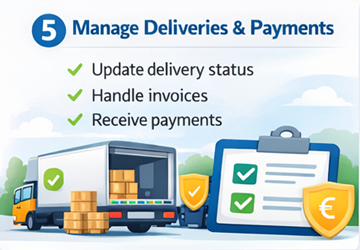
Once an order is confirmed, you can manage delivery statuses, documentation, and payments directly in the platform.
- Update transport status
- Communicate with customers and drivers
- Add extra costs when needed
- View invoices and payments
- Track completed transports
ExusTrans automatically generates invoices and supports secure payments with full transparency.
Frequently Asked Questions (FAQ)
Is creating a carrier account free?
Yes. Registration and profile creation on ExusTrans are completely free for carriers.
How long does document verification take?
Most documents are reviewed within 24 to 72 hours. In some cases, additional checks may be required.
Can I work in multiple countries?
Yes. ExusTrans supports domestic and international transport across all European countries.
What happens if my documents expire?
You will be notified before expiration. Expired documents may temporarily limit access to new orders.
Can I add multiple vehicles and drivers?
Yes. You can add and manage unlimited vehicles and drivers within your carrier account.
When do I receive payments?
Payments are processed according to your billing period and released after order completion and confirmation.
Can I change prices after sending an offer?
Yes. Prices and extra costs can be negotiated through the integrated chat system before final confirmation.
What if I forget my password?
You can reset your password at any time using the password recovery option on the login page.
Do I need a registered company and VAT number to register?
Yes. ExusTrans accepts only legally registered transport companies with a valid VAT number in order to ensure legal compliance, secure invoicing, and reliable service quality.
How can I contact support?
You can contact the ExusTrans support team through your dashboard or the contact page.
Conclusion
Creating a carrier account on ExusTrans is fast, secure, and free. By completing registration, verification, and fleet setup, you can start receiving transport jobs across Europe and grow your logistics business.
eXus Dev